


Popeyes®
4.940.46K Reviews
App Specs
- Version
- 7.47.45
- Updated On
- License
- Free
- Downloads
- 10,000,000+
- Developer
- Popeyes Louisiana Kitchen, Inc.
- Categories
- Food & Drink
- Platform
- Android, iOS
Screenshots
 Analysis by AppCompare
I use the Popeyes® App mainly as a way to plan a meal before I reach the counter. That shift—from deciding in a queue to looking through the menu on my phone—is its most useful idea. It suits days when I already know I want Popeyes and would rather make a few choices in advance than work them out while people are waiting behind me.
Why ordering ahead makes a difference
The app is a free Food & Drink app from Popeyes Louisiana Kitchen, Inc., and its central appeal is straightforward: browse the menu and place an order ahead of a visit. For me, that is more practical than treating it as a general food-discovery app. It is built around one restaurant, so it helps most when I have already settled on Popeyes rather than when I am comparing lots of nearby places.
That focus can make a quick lunch feel more manageable. I can look over the choices before leaving, decide what sounds good, and avoid having to make every decision at the register. The benefit is not that the meal becomes magically faster in every situation; it is that the ordering part can be done earlier, which is useful when my break is short or I am coordinating food for someone else.
How I would use it on an ordinary day
Imagine I am heading out for lunch and have a brief stop between errands. I can browse the menu while I still have a moment, choose a meal, and use the order-ahead flow before arriving. That gives me a chance to check my choices calmly instead of trying to read the menu while deciding in a busy restaurant. If I am ordering for another person, looking at the options together beforehand also makes it easier to settle on a plan.
The app also lets me browse without being at a restaurant, which is handy for deciding whether Popeyes fits the moment at all. I would check the menu before setting off, especially if I have a particular meal in mind. That small step is more useful than opening the app only once I am already in line, when the main advantage of planning ahead has mostly disappeared.
Where the convenience has limits
Ordering ahead is not a reason to assume every visit will be instant. I still need to allow time to get to the restaurant and collect the food, and a digital order does not remove the possibility of a busy period or an inconvenient location. I would treat it as a way to move the decision earlier, not as a guarantee that the entire visit will take no time.
There is also a trade-off in using a restaurant-specific app: it is useful when Popeyes is the destination, but less helpful when I simply want to find the best meal nearby. A delivery or restaurant-discovery service may be a better starting point if I am comparing many restaurants or looking for options beyond Popeyes. This app makes more sense when I already know which kitchen I want.
Worth Reading Before You Choose

Flipboard Shows What News Apps Must Do Beyond the Feed

Switching to Android Auto Means Rethinking Your Driving Routine

Google Calendar Makes a Crowded Week Easier to Manage

Ludo King Makes the Most of the Minutes Between Plans

Baby Panda World Brings Quick Play to Modern Phones, but Its Game Library Feels Busy

ESPN’s Live Game View Makes Following Close Games Easier
Browsing, pickup, and deciding what to order
Right from the start, the Popeyes® App greeted me with a clean and intuitive interface. It’s straightforward and doesn’t bombard you with unnecessary options. Everything is organized, making it incredibly easy to navigate, whether you’re a tech pro or someone who struggles to find the Wi-Fi button on your phone.
The Menu at Your Fingertips
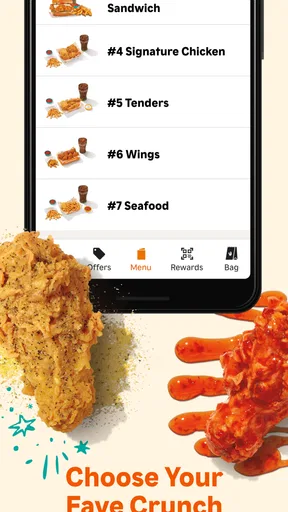
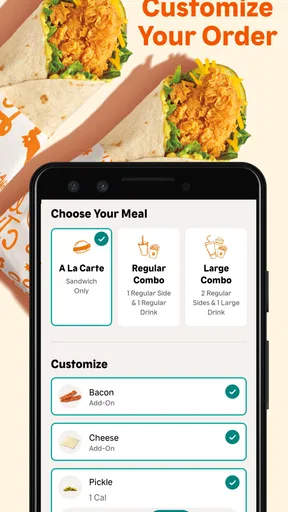
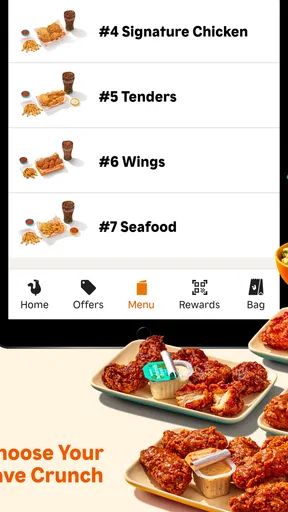
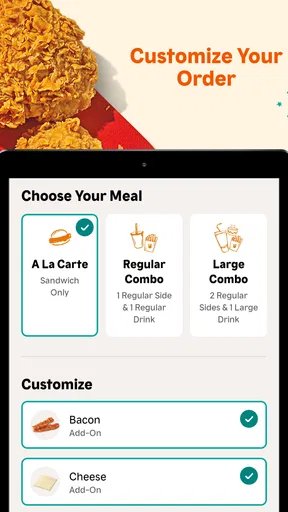
One of the coolest things about the app is how you can browse the full menu without even leaving your couch. Craving a classic chicken sandwich? Just tap, and boom, there’s your order. Plus, you can customize your meal to your heart’s content. Extra spicy? No problem. Want to add a side of Cajun fries? Just a click away. It’s like having a mini Popeyes in your pocket.
Browsing first is particularly useful when I am choosing between a sandwich, sides, and a fuller meal. I can take a moment to consider the combination instead of adding items impulsively at the counter. If I am ordering for a group, I would use that time to agree on the basics before placing anything; it is a simple way to avoid turning a short lunch stop into a round of last-minute negotiations.
Order Ahead and Skip the Line
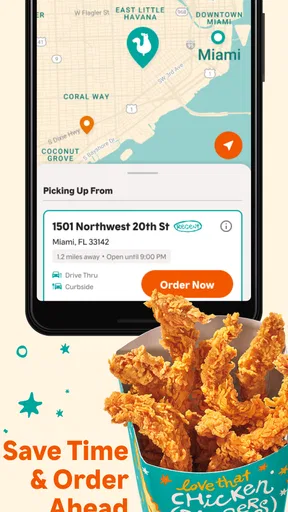
No one likes waiting in line, especially when your stomach is growling. With the app, you can order ahead and skip the line entirely. I tried it, and it was like having VIP access to my favorite chicken. You choose your pick-up time, and when you arrive, your order is ready to go. It’s perfect for those busy lunch breaks or when you’re in a hurry.
I would still check the pickup details before leaving and keep a little flexibility in my plans. The most reliable advantage is having placed the order in advance; how smooth the handoff feels can depend on the visit itself. For a tight schedule, I would not plan my whole break around the assumption that I can arrive at the exact last minute and be back out immediately.
Exclusive Deals and Rewards
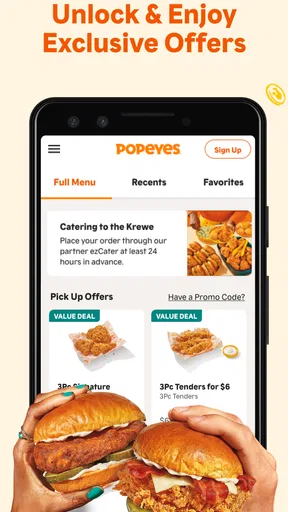
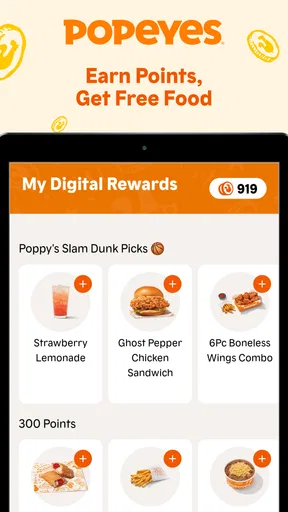
Now, who doesn’t love a good deal? The app offers exclusive deals and rewards that you won’t find anywhere else. From bonus biscuits to discounts on combo meals, there’s always something to make your meal a little more satisfying. I’ve already saved a few bucks, and I’m all about getting more bang for my buck.
My practical tip is to look at available offers before settling on an order, rather than adding food first and checking afterward. That makes it easier to tell whether a deal suits what I actually want. A discount is only useful if it changes the value of a meal I would be happy to buy anyway; it is not a good reason to order more than I intended.
User Experience and Performance
The app runs smoothly and has never crashed on me, which is a big win in my book. The load times are quick, and I haven’t experienced any glitches. It’s clear that a lot of thought has gone into making sure it’s user-friendly and efficient.
The app has been available since June 18, 2018, and its current version is 7.37.73, with Android 7.0 as the minimum OS requirement. Its audience is broad: it is rated Everyone, has more than five million installs, and holds a 4.9 average from around 158,000 ratings, alongside roughly 37,000 written reviews. Those figures suggest a well-used app, though they do not tell me whether a particular restaurant visit will be smooth or whether every offer will suit my order.
Another neat feature is the ability to find the nearest Popeyes location with just a tap. Whether you’re traveling or just exploring new parts of town, you can quickly see where the closest restaurant is and how to get there.
Who will get the most from it
I think this app is a good fit for regular Popeyes customers, people who prefer to decide before they reach the counter, and anyone who wants to check the menu or offers while planning a pickup. It can also help when I am taking food to someone else: I can look through the choices first and arrive with a clearer idea of what to order.
It is less compelling if I rarely eat at Popeyes, prefer to choose from several restaurants each time, or do not want to order ahead. In those cases, a general restaurant app or simply ordering in person may be more convenient. The Popeyes app’s strength is its focused route from browsing to a restaurant visit, not broad comparison across the food scene.
It is free to download, so trying it does not require a purchase. I would use it when I have a Popeyes meal in mind, check the menu and any offers before placing an order, and leave enough time for pickup. That is where its convenience feels real rather than just promised.
In conclusion, the Popeyes® App is a fantastic tool for anyone who loves delicious food without the hassle. From browsing the menu to grabbing exclusive deals, it’s all about making your dining experience as seamless as possible. If you haven’t already, give it a try and enjoy your next meal with a side of convenience.
Pros
- Easy navigation with intuitive interface.
- Exclusive deals and discounts available.
- Quick order tracking feature.
- Customizable meal options.
- Secure payment methods integrated.
Cons
- Limited delivery areas in some regions.
- Occasional app crashes reported.
- Inconsistent customer service response.
- Menu updates can be slow.
- Requires constant internet connection.
FAQs for Popeyes®
What features does the Popeyes® App offer?
The Popeyes® App provides a range of features to enhance your dining experience. Users can browse the full menu, customize their orders, and find exclusive deals and promotions. The app supports ordering ahead for pickup or delivery, ensuring convenience. Additionally, it offers a rewards program where you can earn points on every purchase.
Is the Popeyes® App available on both Android and iOS?
Yes, the Popeyes® App is available for download on both Android and iOS platforms. Users can download the app from the Google Play Store for Android devices and the Apple App Store for iOS devices, making it accessible to a wide range of smartphones and tablets.
How does the rewards program work in the Popeyes® App?
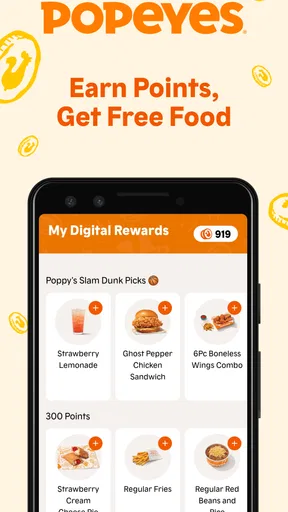
The Popeyes® App rewards program allows you to earn points on every order you place through the app. These points can be accumulated and redeemed for discounts and free menu items. The app provides a straightforward way to track your points and see what rewards are available for redemption.
Does the Popeyes® App offer any special promotions or discounts?
Yes, the Popeyes® App regularly features exclusive promotions and discounts that are only available to app users. These can include limited-time offers, combo deals, and special pricing on popular menu items. It's a great way to save money while enjoying your favorite meals from Popeyes.
Is it safe to use the Popeyes® App for placing orders?
The Popeyes® App is designed with user security in mind, incorporating encryption and other security measures to protect your personal and payment information. It is recommended to keep the app updated to the latest version to benefit from the latest security enhancements and features.


